> For the complete documentation index, see [llms.txt](https://docs.mintable.app/llms.txt). Markdown versions of documentation pages are available by appending `.md` to page URLs; this page is available as [Markdown](https://docs.mintable.app/faqs/how-do-i-know-what-im-buying-is-legit-and-not-a-fake.md).
# How do I know what I'm buying is legit and not a fake?
With the rise in NFT popularity, it’s important to verify that what you’re buying is authentic — not a copy or scam.
Mintable provides tools and best practices to help you protect yourself when collecting or investing in NFTs.
### ✅ What Makes an NFT Authentic?
Every item on Mintable belongs to a **store smart contract** on the Ethereum blockchain. Each store has:
* A **unique contract address**
* A collection of items that all share that address
* Individual items with their own **unique token IDs**
This makes it **impossible to forge a true match** between a fake NFT and a verified smart contract.
***
### 🔍 How to Verify an NFT's Authenticity
Here’s how to check that what you’re buying is legit:
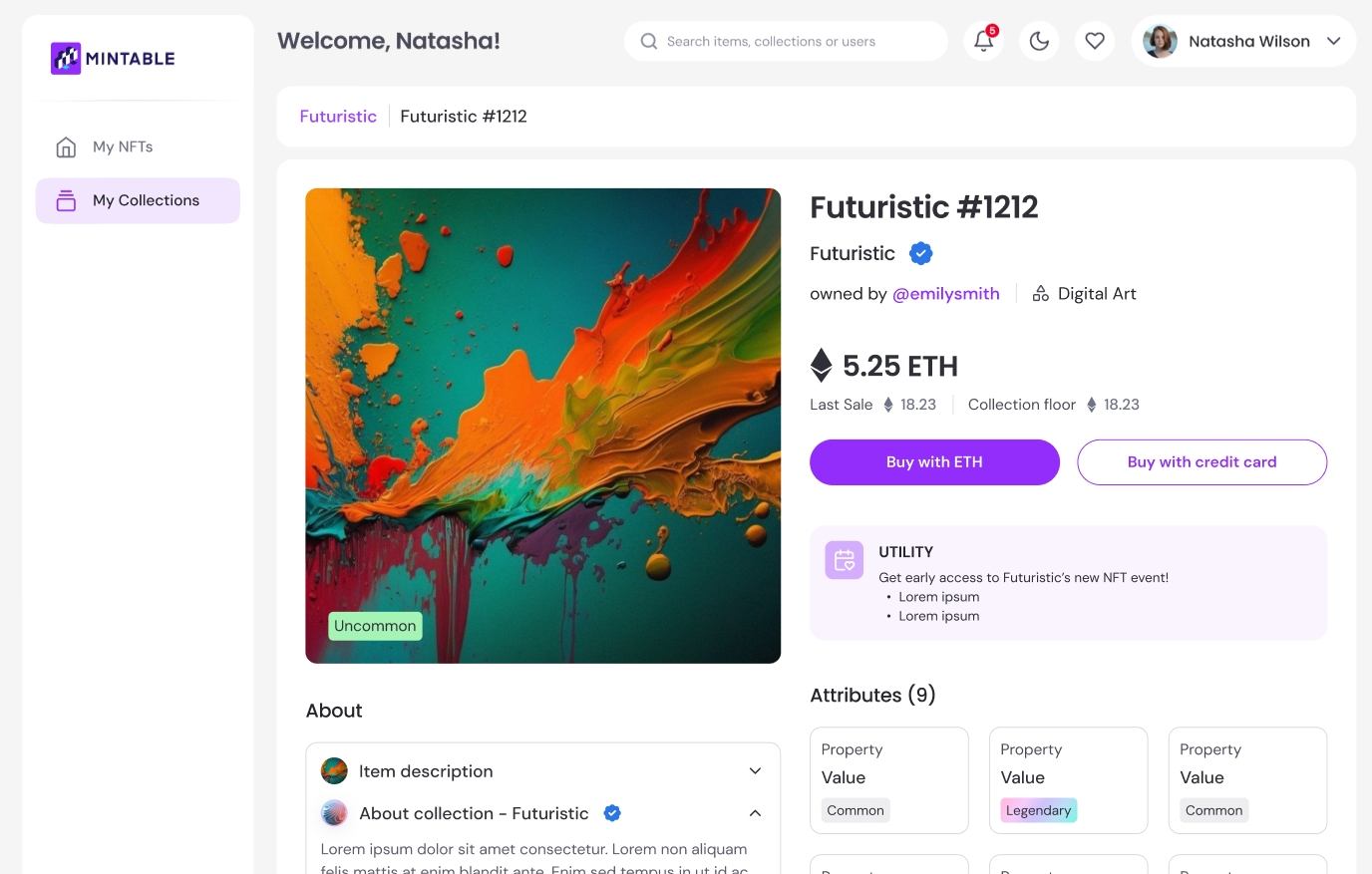
#### 1. **Check the Store Address**
* Click on the **store or collection name** on the item page
* Confirm that the **smart contract address** is the official one (e.g., from a project's website or social links)
#### 2. **Look for the Blue Checkmark ✅**
* Collections with a **blue tick** have been **verified by Mintable**
* This means the smart contract and collection have passed authenticity checks
> 🛑 No blue tick? That doesn’t always mean it’s fake — but you should **do extra due diligence**.
#### 3. **Verify on the Blockchain**
* Use a block explorer like [Etherscan](https://etherscan.io)
* Search the store’s smart contract address
* Confirm the token ID exists under that contract and matches the listing
***
### 🛡️ Tips to Stay Safe
* Only trust **official links** from project websites or social accounts
* Be cautious of listings with **suspiciously low prices** or vague seller info
* Don’t assume popularity = authenticity — always verify the contract
* For high-value purchases, take the extra minute to validate everything
🔗 Want More Tips?
Read our full guide on spotting scams: 📖 [NFT Scams and How to Avoid Them](https://editorial.mintable.app/2021/09/20/nft-scams-and-how-to-avoid-them/)